
How Patang was built Side by side
Figma and the app, side by side
Figma 787:29 is the base truth. These are the 12 places where the app does something the file doesn’t draw: 4 screens changed and 8 added. Each one is a proposal to keep or roll back, by its number.
- Figma, as designed
- The app today, in the same 440 × 956 frame
Act 1 · Onboarding
- 1
05 · Allow access to your photos
Changed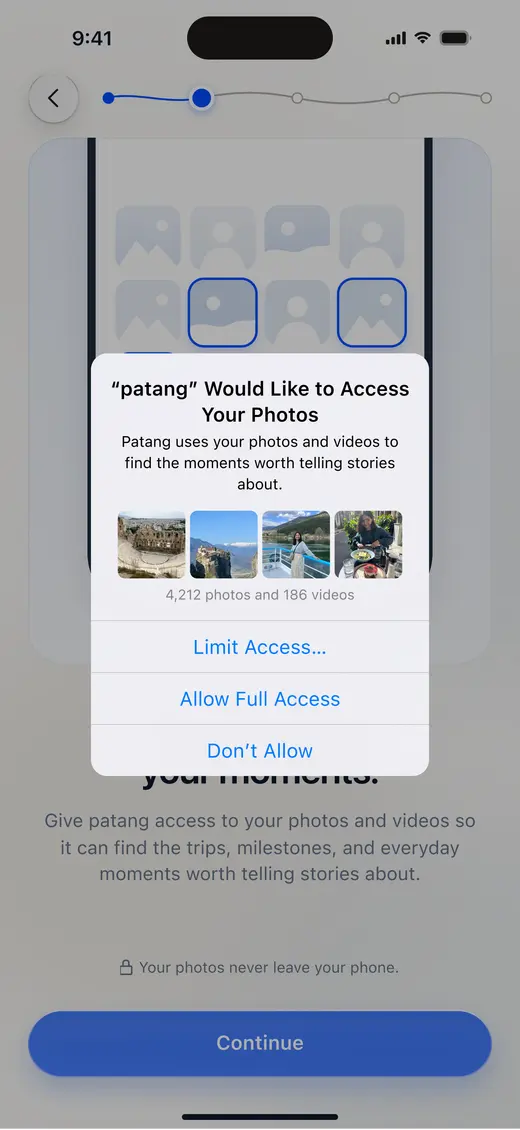
Figma 787:30305 iOS allow photos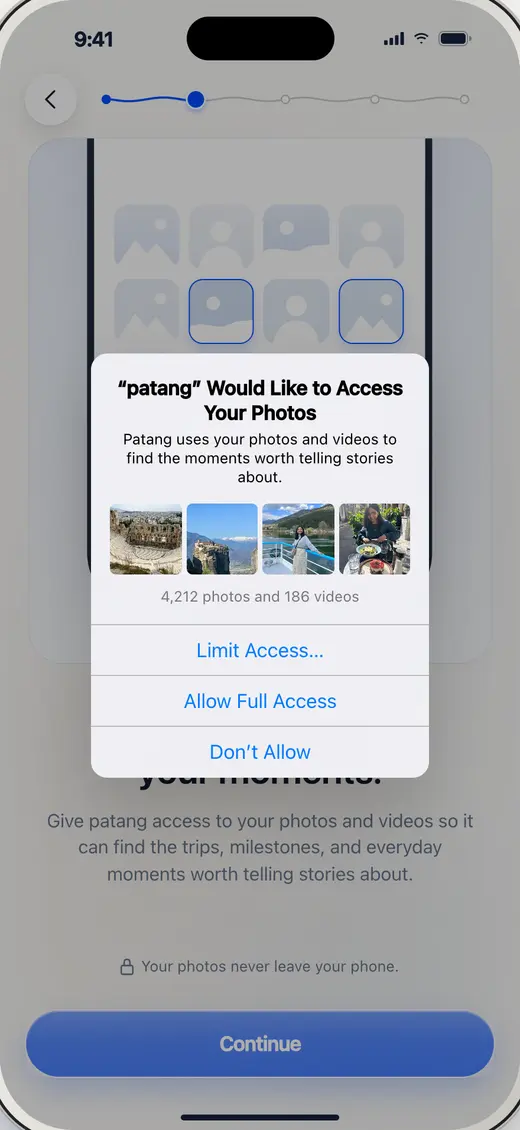
BuiltOpen it live Drawn with the iOS 26 kit: a Liquid Glass alert with capsule buttons, where Figma draws iOS 18’s blue text rows. The copy, the photo strip and the order are as drawn.
- 2
05r · Photos not allowed
Added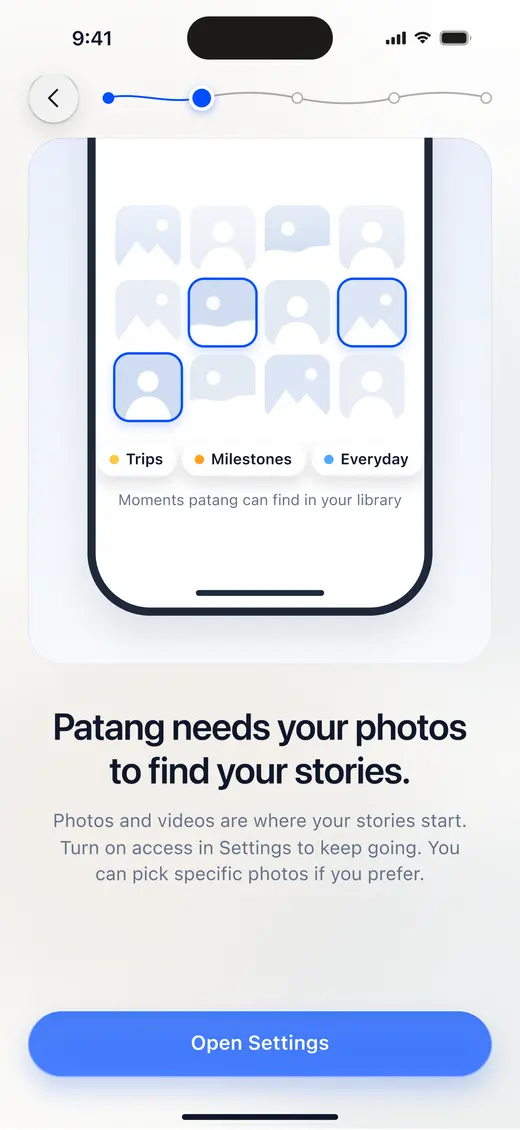
Figma 787:87605r Photos not allowed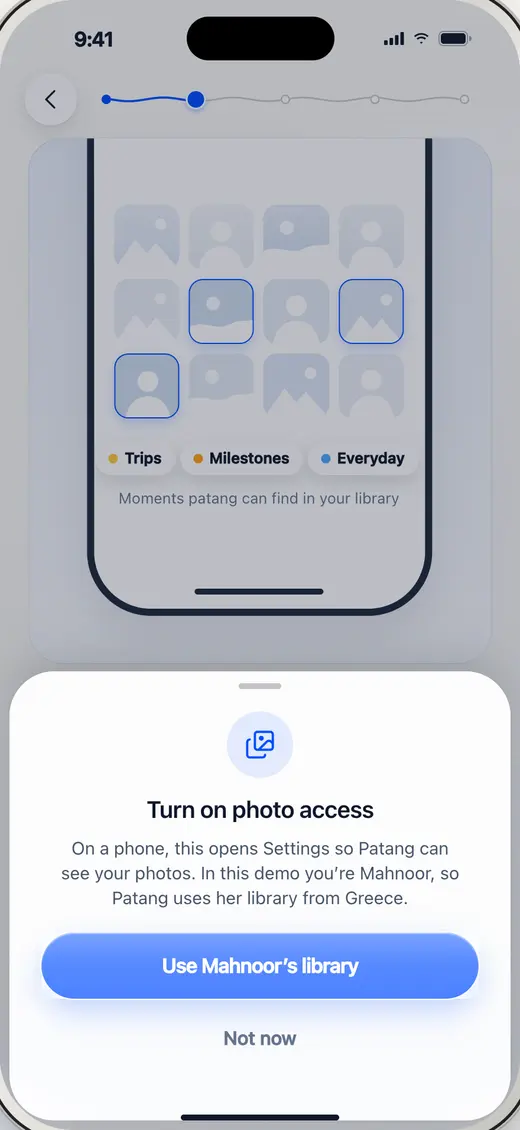
BuiltOpen it live A web page has no Settings app to open. Open Settings now explains that the demo runs on Mahnoor’s library and lets her carry on, so saying no is never a dead end (flow audit 1.2).
Act 2 · Making it
- 3
02 · Days and People
Changed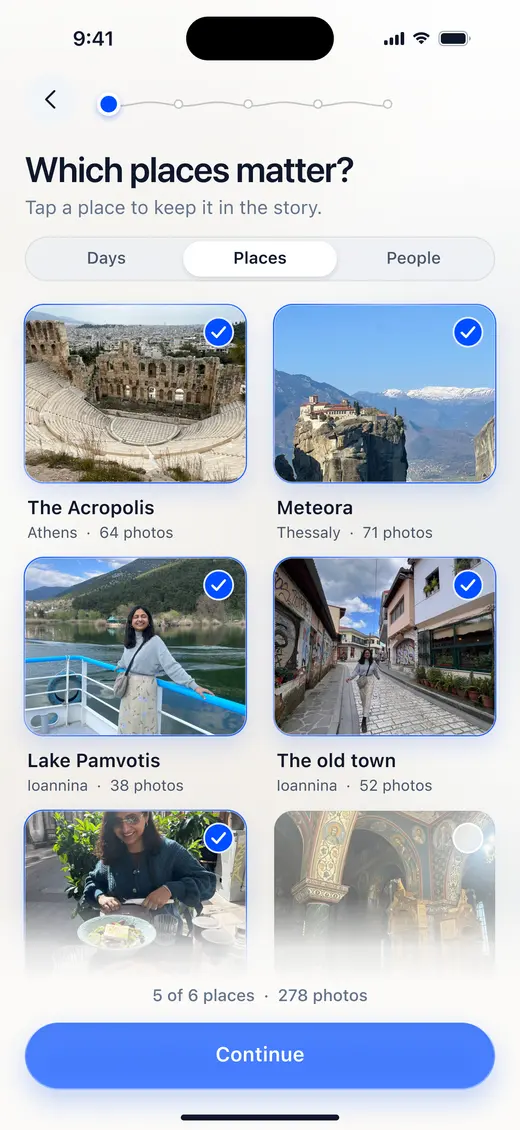
Figma 787:641202 Which places matter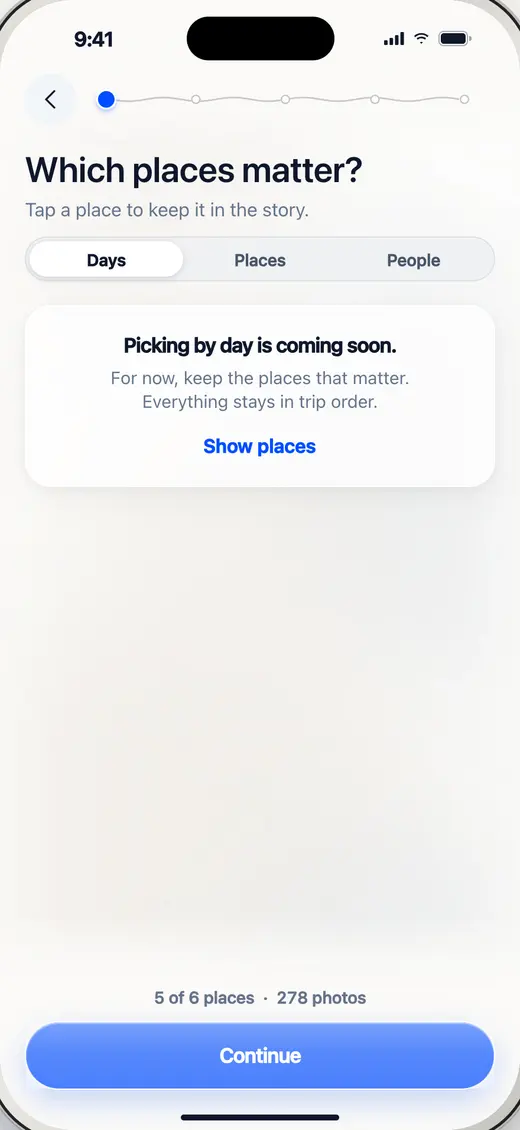
BuiltOpen it live Only Places is designed, so Days and People did nothing when tapped. Now they say they’re coming and point back to Places (flow audit 2.2).
- 4
03 · Go one by one
Added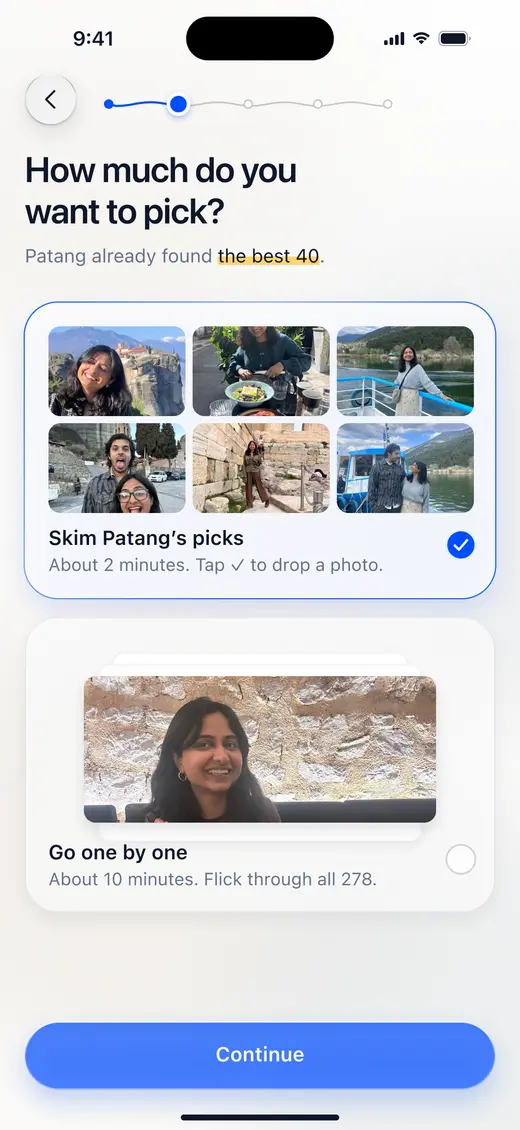
Figma 787:647803 How hands-on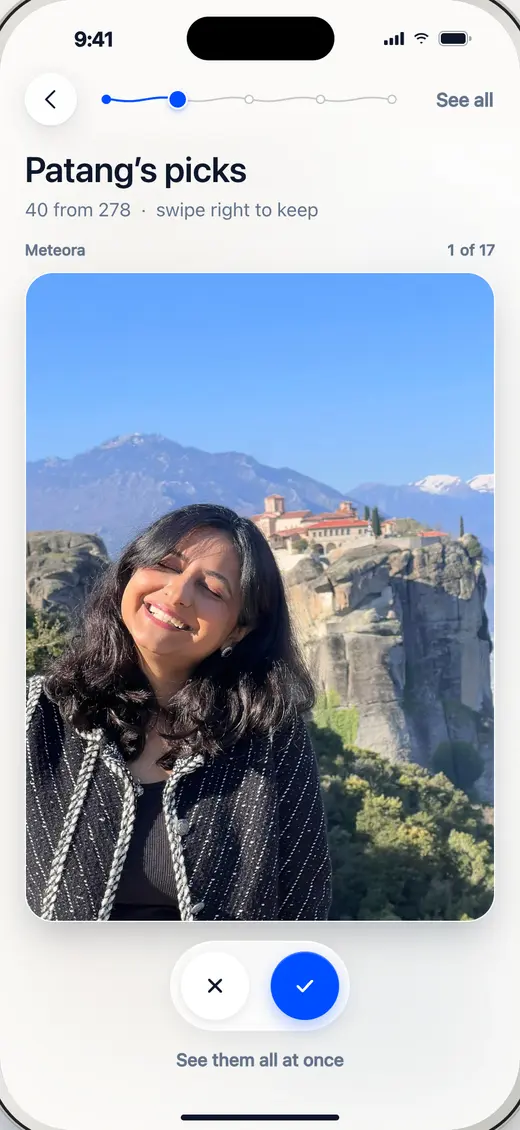
BuiltOpen it live Figma offers Go one by one with no frames behind it. Choosing it now opens the same picks as a stack to flick through: swipe right to keep (flow audit 2.3).
- 5
14 · Scrapbook and Reel
Changed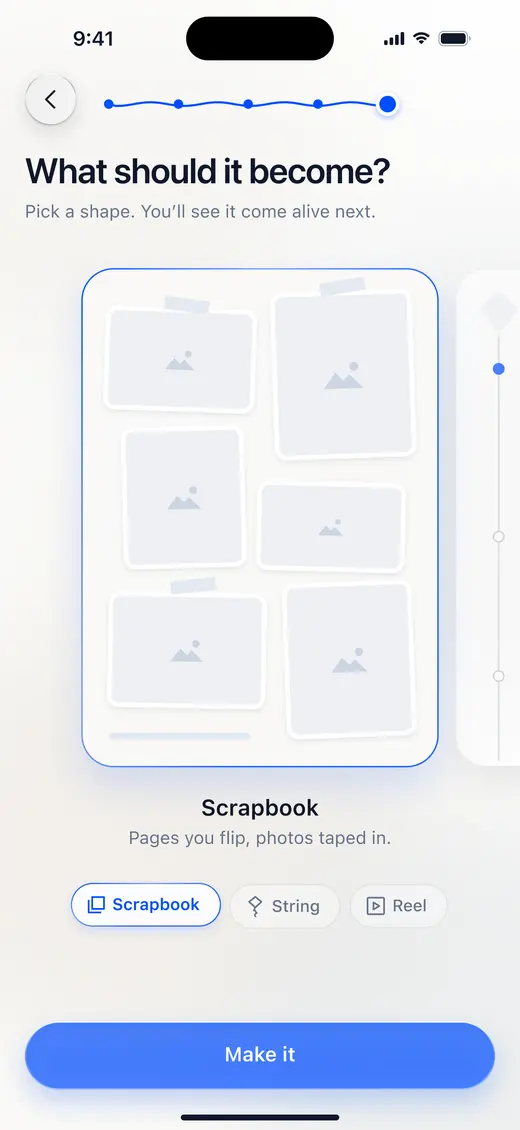
Figma 787:718814 What should it become (Scrapbook)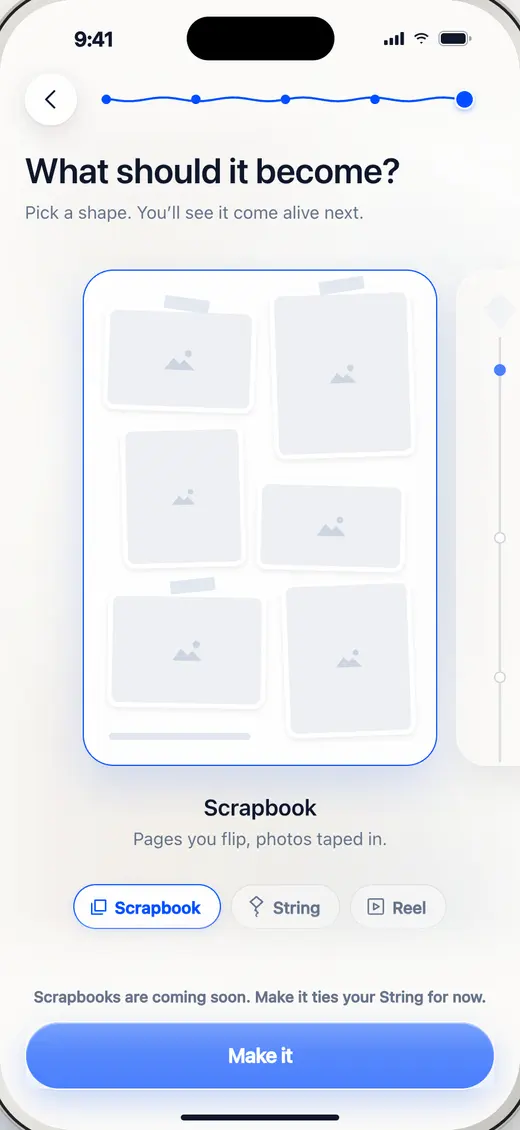
BuiltOpen it live Only the String exists. Scrapbook and Reel can still be picked and say they’re coming; Make it ties the String (flow audit 2.6).
FollowsApp Store · Select Theme
- 6
Tying your String
Added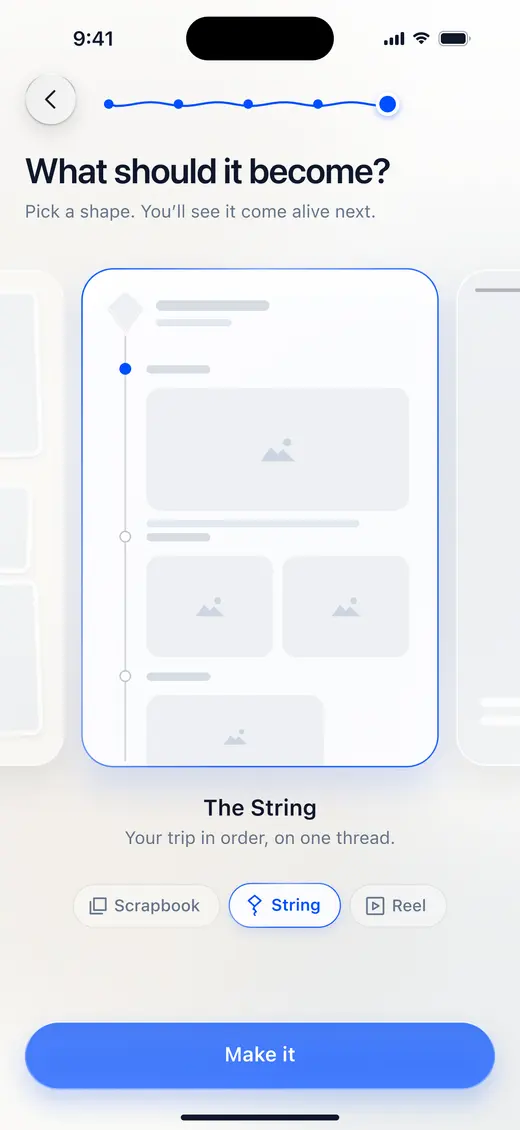
Figma 787:699014 What should it become: the file goes from here straight to 16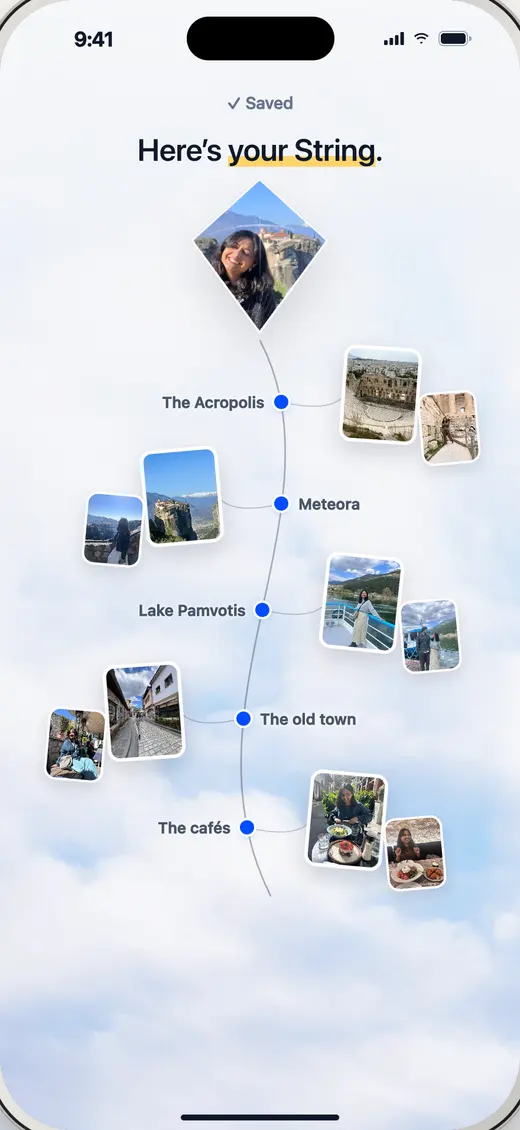
BuiltOpen it live Nothing happened between Make it and the finished String. Now the thread draws and her places knot on while the story is really saved (flow audit 2.7).
Act 3 · One change
- 7
Changes
Added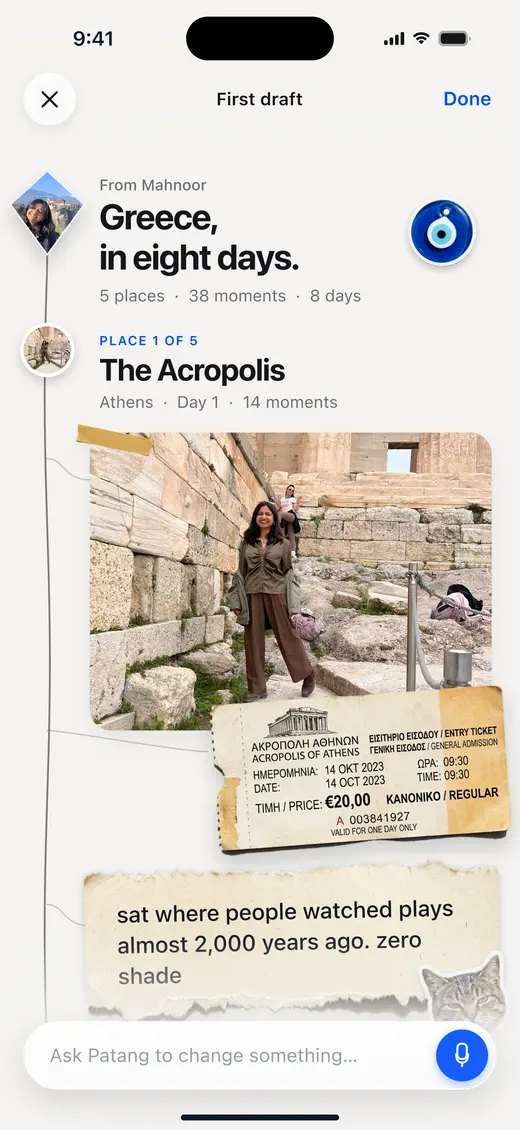
Figma 868:1238416c The String, edited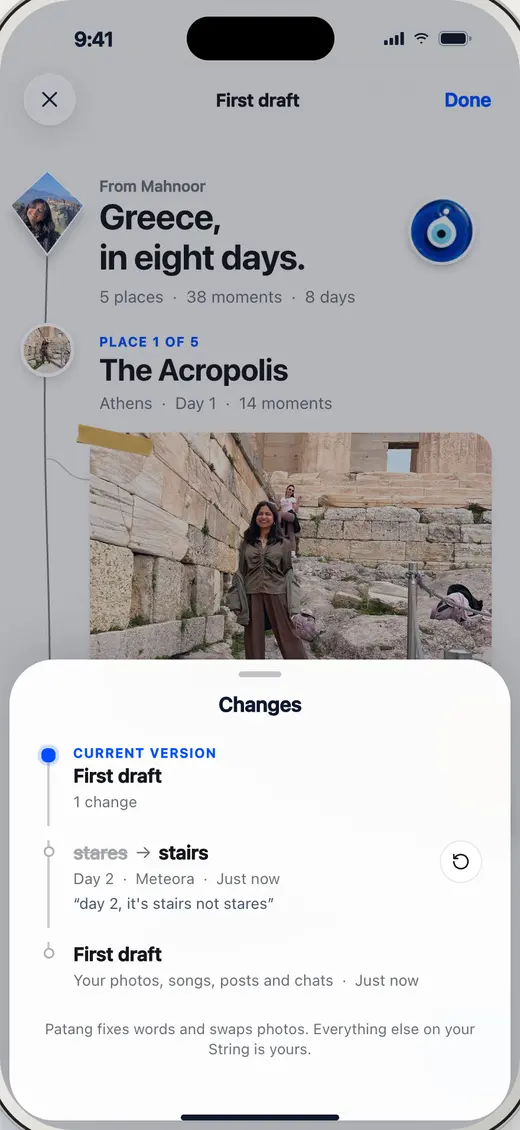
BuiltOpen it live Undo lived only in a toast that disappears. Tapping the title now opens Changes: every edit with its own Undo, newest first (flow audit 3.2). The String itself stays as drawn.
Act 4 · Sharing with Ammi
- 8
20b · Share sheet
Changed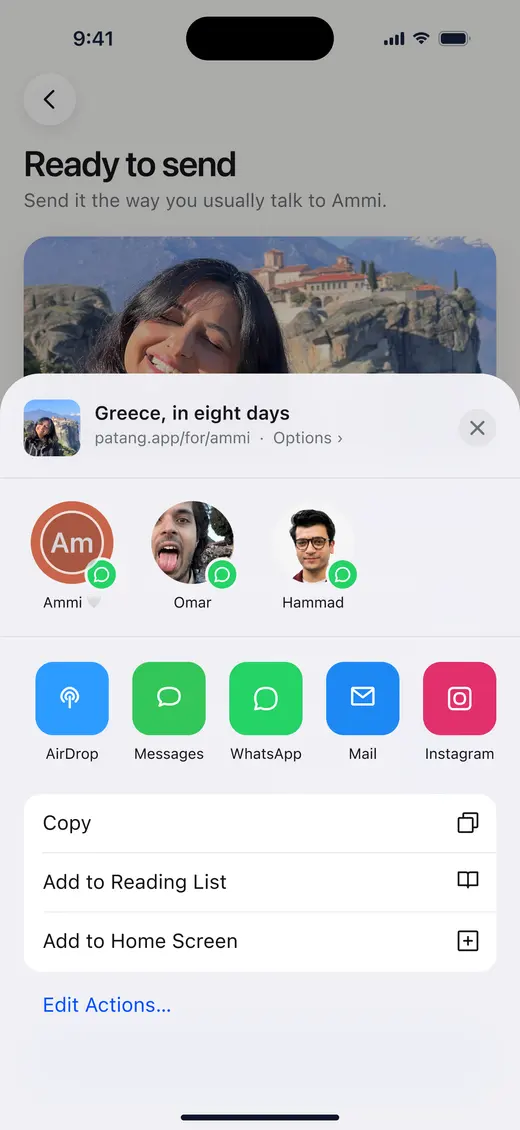
Figma 787:865120b Share sheet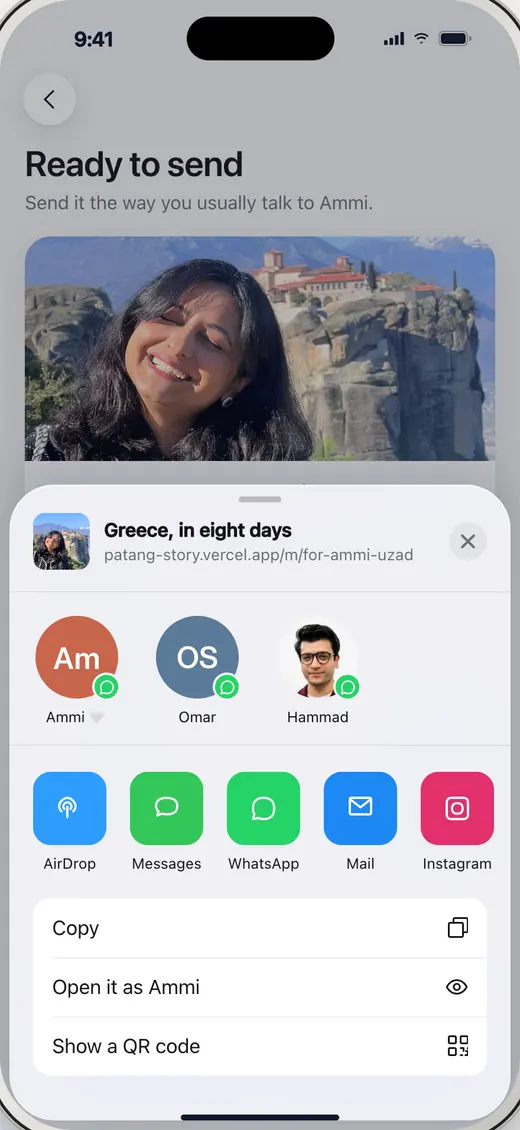
BuiltOpen it live Phones open their own share sheet (Web Share API). On a laptop the drawn one keeps the people, the apps and Copy; the Reading List, Home Screen and Edit Actions rows became Open it as Ammi and Show a QR code.
- 9
Sent to Ammi
Added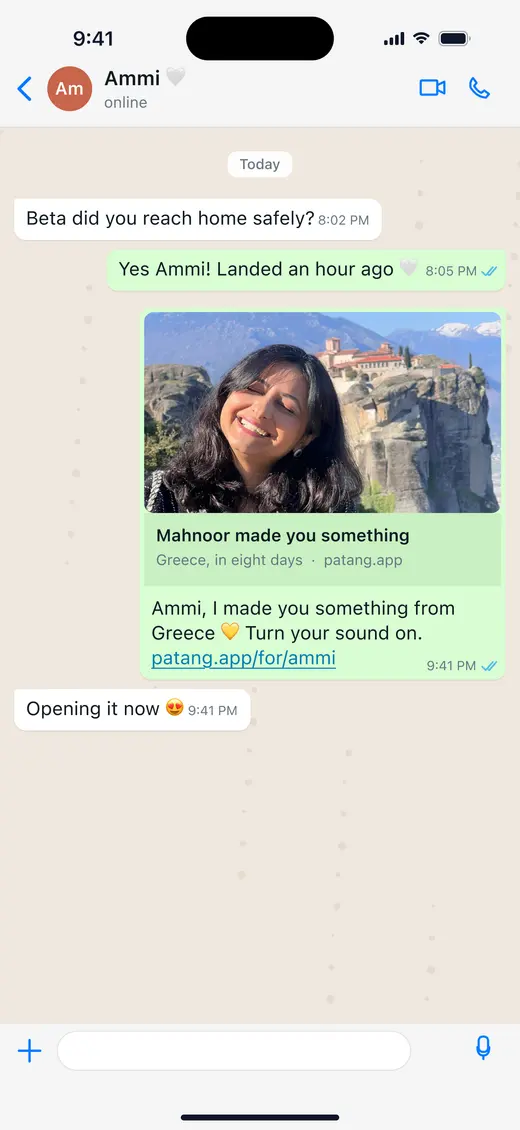
Figma 787:874020c Sent to Ammi on WhatsApp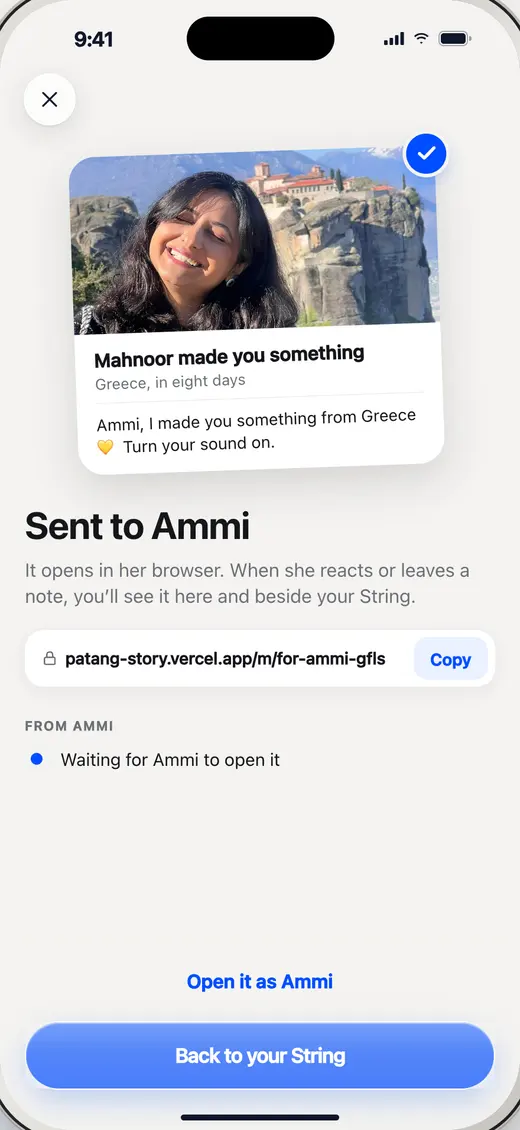
BuiltOpen it live 20c and 21 happen inside WhatsApp, so Patang’s side is a confirmation: the real link, and Ammi’s replies arriving here live (flow audit 4.2).
FollowsLyft · Your invite was sent!
- 10
23b · Before Ammi opens it
Added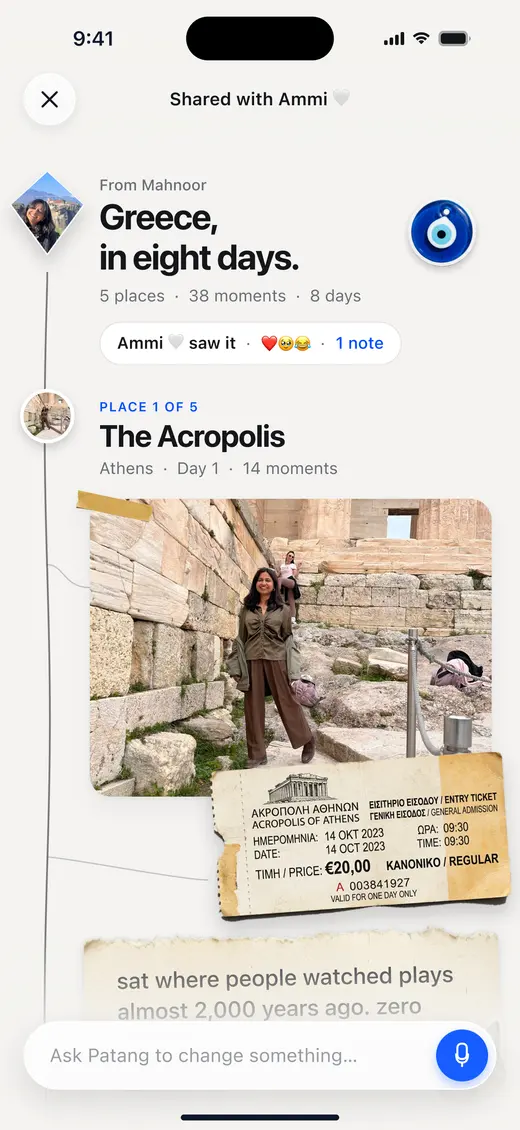
Figma 787:909723b Your String, with Ammi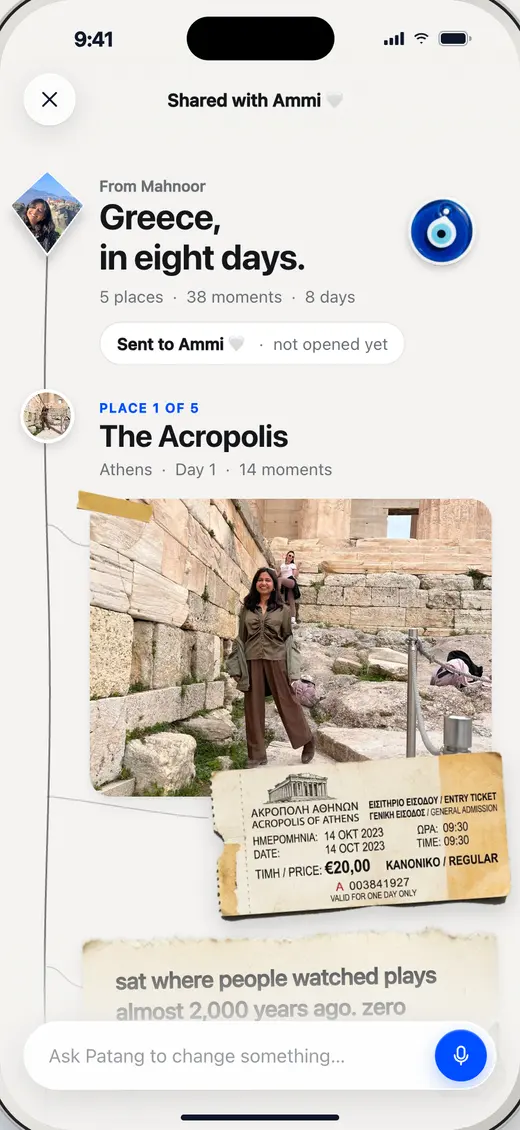
BuiltOpen it live Figma draws the String after Ammi has looked. Until she opens the link, the same pill says Sent to Ammi, not opened yet; then it becomes Ammi saw it, with her reactions.
Follows the frame itself; only the state is new
Home
- 11
Home, after the first patang
Added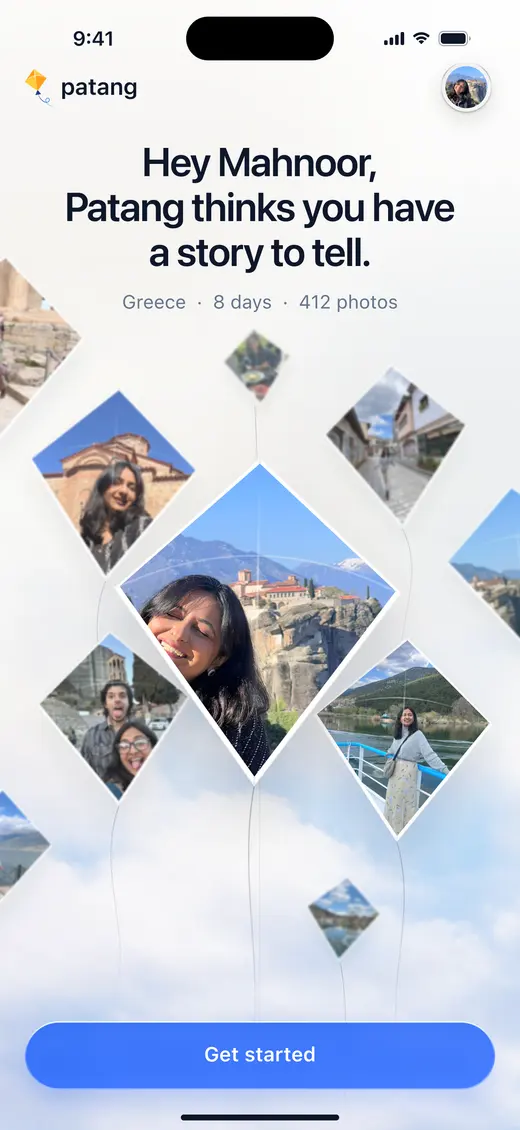
Figma 787:637301 Home, a story waiting: the only Home in the file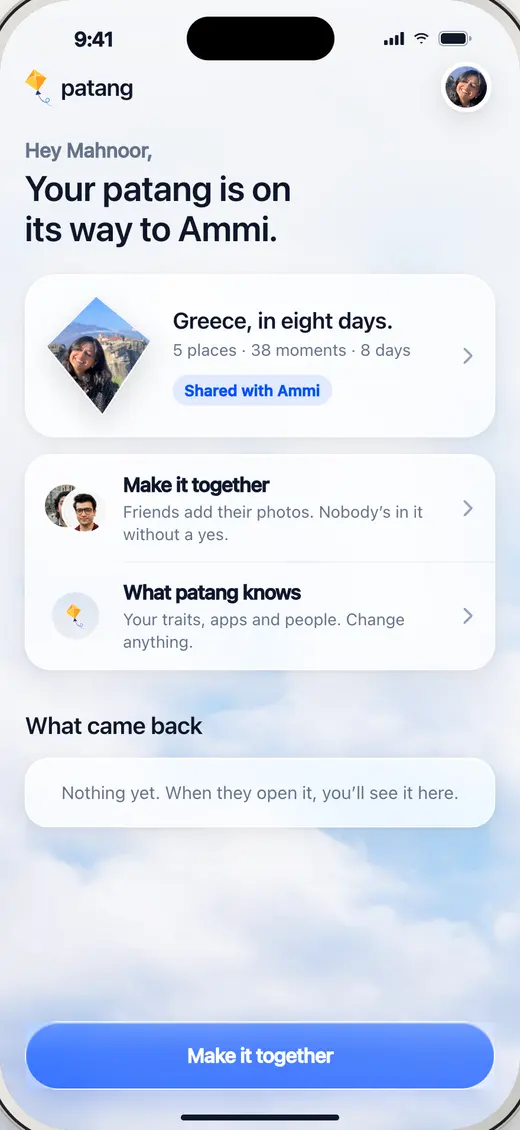
BuiltOpen it live The prototype has no Home after the first story. The same sky becomes a place to come back to: her patang and where it went, Make it together, and what came back.
FollowsRetro · Journals
Blends
- 12
Blends
AddedNo frame: the team’s concept
FigmaNot in 787:29 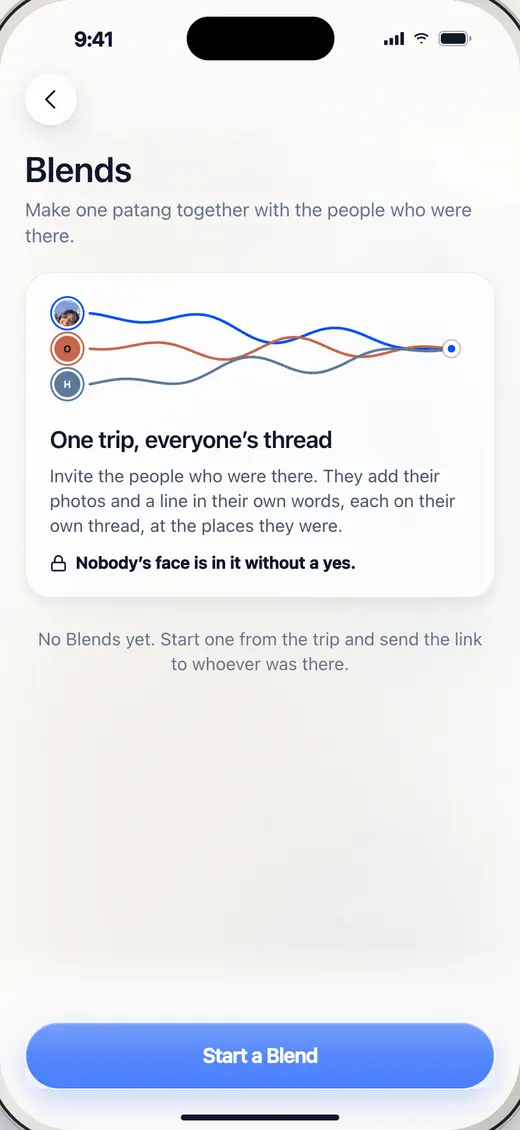
BuiltOpen it live Make one patang with the people who were there. Friends join from a link and add their own photos and a line; nobody’s face is in it without a yes.
Proposed, not built
From the flow audit. Nothing here is in the app; each is a call to make before it’s designed.
Act 1 · Onboarding
- P1
Merge 02 and 03 into one two-page intro with Skip intro, and move Connect your apps out of onboarding (one step fewer each).
- P2
In the iOS app, offer Pick some photos instead and Choose a few people on the two not-allowed screens.
- P3
A one-tap Not me on each first-impression trait, with the source it came from (Spotify, X …), so it reads as evidence, not a verdict.
Act 2 · Making it
- P4
Ask for an app once, in context, when a story could use it, instead of in both onboarding 08 and making 08.
- P5
Design Days (one row per day) and People (faces, then their moments), or remove the control.
- P6
Playlist, jokes and chats as one What photos can’t capture stack she swipes through (two steps fewer).
- P7
Ship the String only, or design Scrapbook and Reel.
Act 3 · One change
- P8
First-visit hint chips above the edit bar: Fix a word · Put me in a photo.
- P9
Let Done offer Keep it or Share it.
Act 4 · Sharing with Ammi
- P10
Web Push for the installed app, so Ammi’s reaction reaches the lock screen too.
- P11
A 10-second voice reply on Ammi’s page.
Screens of the app captured 28 Oct, in the desktop phone (Figma’s 54 / 34 pt insets).